Big shift today. After two days of physical robots (drones yesterday, mBot the day before), today was all about AI Fundamentals through AI Singapore's self-paced course, plus visits to the Hikvision Experience Center and ITE's Smart Classroom — the "Classroom of the Future". Less flying, more thinking. Also officially in certification territory now.
08:00 · Singapore Time08:00 · Singapore Time 🚌 Coach to ITE (Third Time's a Habit)
Third day in a row on the same coach route. By now I know which seat has the best AC and which side of the bus catches less morning sun. Formal outfit day 3 = officially wrinkled. Nobody cares.
💡 What I learned
Routine kills decision fatigue. Same coach, same seats, same 45-minute ride = zero mental energy spent on logistics.
East–west morning traffic in Singapore is surprisingly light. Whatever the government does with road tolling and traffic management, it works.
Three shirts is not enough for a 6-day training trip. Note taken for future me.
09:00 · Singapore Time09:00 · Singapore Time 🏫 Back at ITE for AI Fundamentals
Different room again — a proper computer lab this time, everyone at their own laptop. Instructor introduced the day: we'd be working through the AI Fundamentals course from AI Singapore (AISG) at aifundamentals.aisingapore.org. It's a 5-module self-paced course, but we'd be moving through it together as a class. The certificate from this course is one of the deliverables of the whole programme.
💡 What I learned
AI Singapore (AISG) is a national programme launched to grow Singapore's AI capability — think of it as their version of a national AI institute.
The AI Fundamentals course is based on the Google AI Essentials framework, so completing it also connects to the Google certification track.
Self-paced doesn't mean solo — combining video modules with an in-person classroom session is the fastest way to actually retain the material.
09:30 · Singapore Time09:30 · Singapore Time 🧠 Module: What Is AI?
First module: Introduction to AI. Defined AI, Machine Learning, Deep Learning, and Generative AI — the classic nested diagram. AI is the outer circle, ML sits inside, deep learning inside that, generative AI as a specific application of deep learning. Watched videos, did short quizzes, discussed real examples: Google Maps ETAs, Netflix recommendations, spam filters, ChatGPT.
💡 What I learned
Machine Learning is the subset of AI where systems learn patterns from data instead of being explicitly programmed. Give it 10,000 cat photos, it learns what a cat looks like.
Deep Learning uses neural networks with many layers — that's what powers modern image recognition, speech-to-text, and generative AI.
AI isn't magic. It's math + data + compute. The moment you see it that way, the mystique disappears and it becomes a tool you can actually use.
11:00 · Singapore Time11:00 · Singapore Time 💬 Prompt Engineering
Module 1.3: Discover the Art of Prompt Engineering. This one was hands-on. Opened ChatGPT and Google Gemini, tried the same task with vague prompts vs specific prompts. Difference was huge. Learned about role prompting ("Act as a Python tutor..."), step-by-step reasoning ("Think through this step by step..."), few-shot examples (giving examples before the actual ask), and output format specifications ("Reply in JSON with fields A, B, C").
Ran a prompt trying to summarise a long article — first attempt gave a generic summary, second attempt with specifics ("summarise in 3 bullet points, focus on financial implications, plain English") was way better. Same model, way better output.
💡 What I learned
The prompt is the code now. Getting good output from AI models is less about the model and more about how you ask.
Specificity beats politeness. "Please write a nice email" is worse than "Write a 4-sentence email to my professor requesting a deadline extension, formal tone, mention I'm sick."
Prompt engineering is transferable. The same techniques (roles, examples, format specs) work across ChatGPT, Gemini, Claude, and Copilot.
13:30 · Singapore Time13:30 · Singapore Time 📷 Hikvision Experience Center
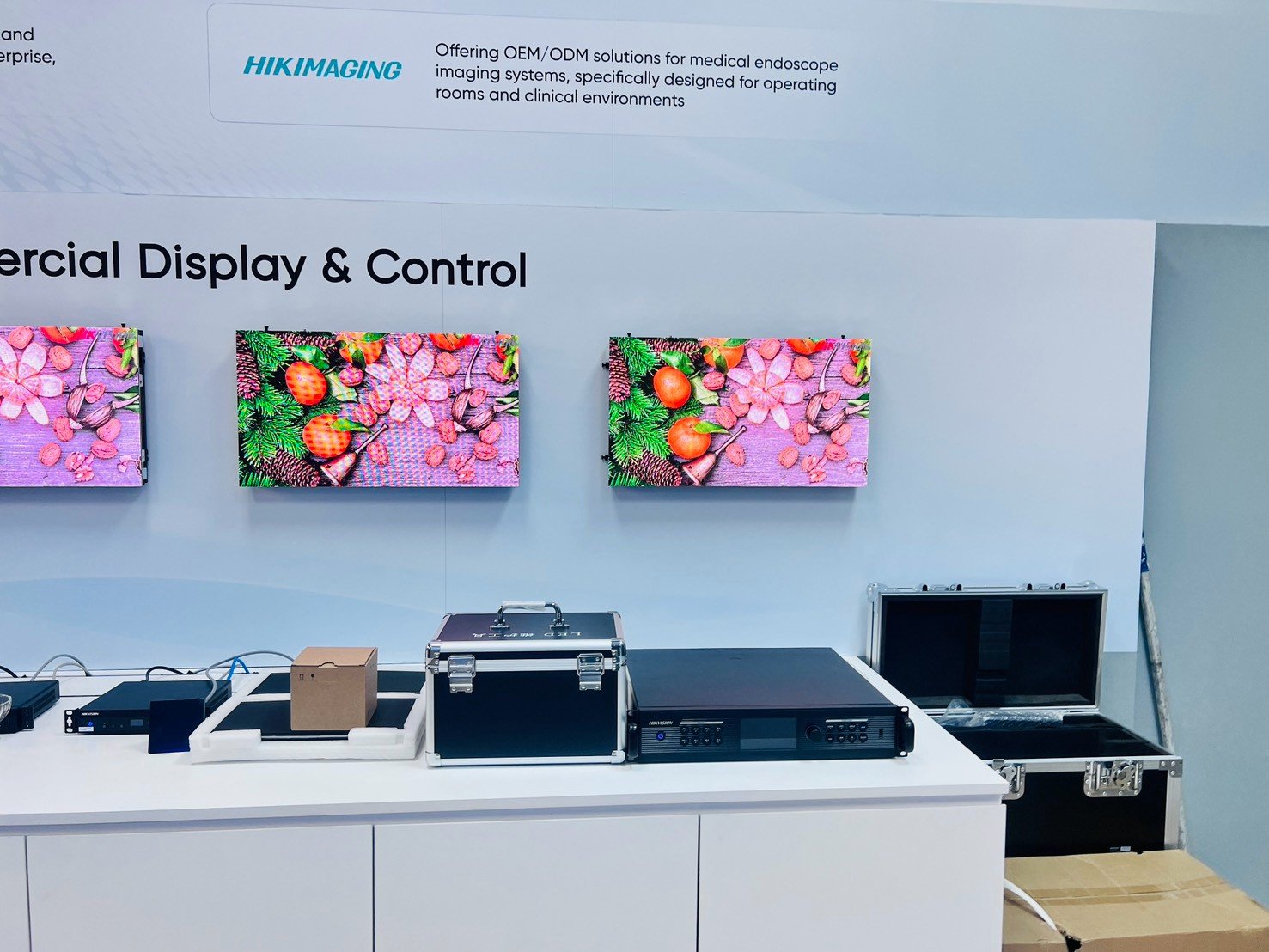
After lunch, walked over to the Hikvision Experience Center. Hikvision is a massive Chinese company — the world's largest video surveillance manufacturer, headquartered in Hangzhou. But what they showed us was mostly the AI + camera side, not plain CCTV.
Demos included facial recognition (walked past a camera, the screen labelled "unknown person detected"), license plate recognition for smart parking, behaviour analytics (a camera flagged when someone loitered in a zone too long), and people counting for retail. Also saw the WonderHub — their interactive flat panel for smart classrooms — which we'd get to try in the next session.
💡 What I learned
Video surveillance isn't just recording anymore. It's real-time AI inference on the edge — the camera itself has a chip, no cloud needed for basic detections.
Facial recognition works by extracting a vector (a list of numbers) from a face image and comparing it to a database. Fast, but very sensitive to bias in training data — a real ethics concern.
Smart city use cases are wild — traffic optimisation, crowd management, public safety. Same tech = same privacy trade-offs though. Not a black-and-white technology.
15:00 · Singapore Time15:00 · Singapore Time 🎓 Smart Classroom (Classroom of the Future)
Next stop: ITE's "Classroom of the Future" — a real, working classroom equipped by Hikvision. This is the smart classroom setup you see on every EdTech promo, except this one is actually in daily use.
Features:
Interactive flat panel display at the front (WonderHub) — teacher writes, annotates, plays video, all on a touch screen
Auto-tracking camera at the back that follows the teacher as they move, so remote students see them clearly
Ambient microphones that catch teacher voice + student questions without anyone holding a mic
Screen mirroring — any student's laptop or tablet can beam to the front screen
Recording + live streaming — every lesson auto-recorded and available for later review
Got to try the display and mess around with the annotation tools. It felt legit — smooth, responsive, no lag. Very different from the projector + whiteboard combo we're used to back home.
💡 What I learned
Smart classrooms are about accessibility, not fancy tech for its own sake. Remote students, absent students, and slow learners all benefit from the auto-recording and camera tracking.
The camera auto-tracking uses computer vision to detect and follow a body silhouette — basically the same tech as consumer webcams for streamers, scaled up for classrooms.
Hardware alone doesn't make a smart classroom. The teacher still has to use it well. Bad teacher + smart classroom = still bad classroom.
Instructors reminded us that tomorrow is certification day — finishing the last modules of AI Fundamentals + the Google AI Essentials assessment. Everyone got a study guide. Feeling okay about it since we've been doing hands-on all day. Packed up laptops, out to the coach.
💡 What I learned
Certifications aren't just a piece of paper. Preparing for one forces you to review everything and connect the dots between modules.
AI is a general-purpose technology now — like electricity or the internet. It's not a niche. Learning to use it well is a career skill, not a specialisation.
The best AI training combines theory + hands-on + real-world exposure. Today had all three, and it worked.
Wrap-up
Day of ideas more than day of building. But a good balance after two hands-on days. Also — seeing a working smart classroom in person, and messing around with facial recognition demos, made the concepts feel real instead of buzzwordy. Tomorrow is the last training day (certification day), and I want to lock in the AI Essentials cert before the trip ends. Going to sleep with 30 minutes of module review first. Goodnight.